

.svg)
Have you ever looked at your website and thought — "why isn't this bringing in sales for my business?"
You’ve got a logo, a few good photos, maybe even a blog or two. But the inbox stays quiet, the phone barely rings, and you start wondering if the whole thing was a waste of money (or time, if you built it yourself using something like Wix or Squarespace).
The good news: it’s rarely because your business is bad. It’s because your website isn’t doing the job you hired it for: selling.
Here’s 5 reasons why that could be happening (plus a bonus reason if you stick around until the end of the article), and what you can do about it...
1. You’re talking about yourself, not your customer
Most websites open with “We’re passionate about…”, “Our mission is…”, or “Read our story”.
Nice sentiment, but your visitor isn't here for a mission statement — they’re here because they have a problem to solve.
People don’t buy what you do; they buy what it does for them.
If your copy talks about your business instead of their pain points, you’re forcing them to connect the dots. Nobody wants to do that when they’re shopping for a service — they want to instantly see how you make their life easier.
Say you're a commercial HVAC provider. Instead of leading with how long you’ve been in business or the technical features of your units, lead with the outcome: cooler offices, fewer breakdowns, predictable running costs. Features matter, but only after you’ve sold the benefit.
Think about your offer and phrase it as a solution, not a spec sheet.
If you provide affordable maintenance packages, don’t just say it — show the payoff your customer gets after signing up.
Fix it:
Cut the fluff. Replace the bragging and the founder biography with opening lines written from the customer’s point of view.
Instead of “We’ve been installing affordable air-conditioners since 2011,”
try “Keep your offices cool all year round — without sweating over breakdowns or bills.”
Then place your “established 2011” badge nearby so they can connect the credibility on their own.
See the difference?
2. You’re hiding your next step
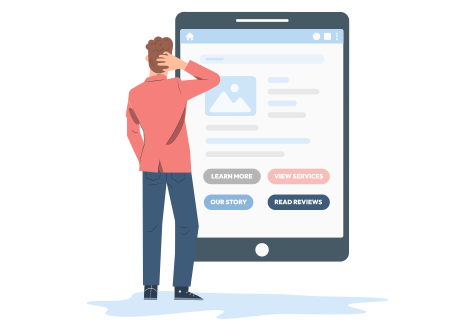
Even when someone’s ready to get in touch, many websites make it surprisingly difficult to do so.
Too many buttons, too many choices (or worse, none at all). Potential customers don't want to go hunting for your contact details — they'll just move on to the next option.
Every page needs a clear, obvious next step — a "Call To Action (CTA)".
That might be “Book a free consultation,” “Request a quote,” or simply “Call us.”
If people have to scroll or think about how to contact you, they won’t.
Just picture the classic tale of Goldilocks and the Three Website Homepages. Yeah, I know — just humour me...
❌ Website A – “Too much”
The first bowl of porridge was too hot, and Goldilocks burnt her tongue.
Problem: Too many buttons or CTAs competing for attention.
I don't know about you, but if I'm at a restaurant with 100 things on the menu, it takes me about 20 minutes to pick something. This is called 'decision paralysis', and it's exactly what you'll be causing for your site visitors if there's too many next steps for them to choose from. I'll sit at a restaurant for 20 minutes to pick the right meal, but I'll barely last 20 seconds on a website with too many confusing CTAs — I'll just go elsewhere.
What it looks like:
- Hero banner with five buttons: Learn More, View Services, Our Story, Get a Quote, Read Reviews.
- Navigation bar full of dropdowns and distractions.
- Pop-up for newsletter before you’ve even read the first line.
Result: The visitor has to decide which button means “contact,” so they decide on none.
Lesson: Too many choices = no action.
❌ Website B – “Not enough”
The second bowl of porridge was too cold.
Problem: No clear path to take at all.
Picture a fork in the road with no signs or road markings. GPS isn't working. Anxiety-inducing right? Maybe your visitors aren't going to be sent into a panic when you don't give them a clear next step, but they certainly won't stick around to figure it out. You've only got a few seconds to lead your visitor naturally towards where you want them to go — don't waste it by hiding the signposts.
What it looks like:
- Nice imagery, tagline like “Delivering Excellence Since 1988.”
- No phone number visible, no form, no direction.
- Scroll, scroll, scroll… finally a small “Contact” link buried in the footer.
Result: The visitor feels lost. They might like what they see but can’t be bothered to dig for a way to reach out, and if they miss the CTA waaaay at the bottom of the page, then your business might've just lost a customer.
Lesson: If your next step isn’t obvious within a few seconds, it might as well not exist.
✅ Website C – “Just right”
Goldilocks has found her perfect bowl of porridge! Perfectly warm, plenty of sugar and a splash of milk. Except, instead of sugar it's a simple, clear CTA and instead of milk it's..... okay yeah maybe I got a bit carried away with the metaphor — moving swiftly on..
What it looks like:
- Clean hero section: short headline, one clear CTA — “Book a Call.”
- Contact number in the header for quick access.
- Simple navigation: Home, Services, About, Contact.
- Scroll down and the same CTA repeats after every major section (“Ready to talk? Let’s chat”).
- Footer repeats both phone and contact form link.
Result: Every part of the page quietly guides you toward one logical action.
It feels effortless — and that’s what good web strategy should be.
Lesson: Simplicity converts. One journey, one goal.
Fix it:
Pick one primary call-to-action per page and make it unmissable.
Use clear language that defines the next step (“Get a quote,” not “Submit”, "Go" or "Enter"). Place it high on the page and repeat it throughout until the end of the page.
You’ll be amazed how often “invisible” enquiries suddenly appear.
3. You’re invisible to Google
Even the best-designed site can’t sell if no one can find it.
You may have heard of Search Engine Optimisation (SEO), which is simply the practice of improving a website's visibility in a search engine's organic search results, to ultimately drive more traffic to the site.
SEO is comprised of a few key aspects:
- Technical SEO: This covers everything under the hood — site speed, clean code, mobile performance, secure connections, crawlability, structured data, and anything that helps search engines understand and load your site efficiently.
- On-page SEO: This focuses on the content itself: keyword research, aligning pages with search intent, writing helpful and relevant copy, optimising headings and titles, refining meta descriptions, improving internal linking, and ensuring every page speaks clearly to both users and search engines.
- Off-page SEO: This revolves around authority. Backlinks from credible websites, brand mentions, digital PR, and social signals all help search engines trust your site more, which improves rankings.
- Local SEO: This narrows in on location-based visibility — optimising your Google Business Profile, gathering customer reviews, building consistent local citations, tailoring landing pages to local intent, and helping your business appear in map results and “near me” searches.
Google's framework for evaluating the quality of your website's content is: Experience, Expertise, Authoritativeness, and Trustworthiness (EEAT):
- Experience: Firsthand, real-world experience with the topic. For example, using a product, visiting a place, or having a personal experience.
- Expertise: The creator's knowledge and skill in a particular field.
- Authoritativeness: The creator's reputation and standing within their field.
- Trustworthiness: The reliability and credibility of the creator and the content.
Many business sites quietly break the basics of SEO — slow load times, missing page titles or descriptions, no mention of the locations they actually serve and a load of irrelevant text.
I know that's a lot of information above, and you're not here to become an expert in SEO — but it's important that you know the basics so that you can understand which improvements to make.
Simply put, Google needs to know three core things in order to index your business website and present it to interested searchers:
a) What your business actually does
Google’s first job is to understand your content.
It scans your pages to figure out your topics, services, and expertise.
If it can’t clearly tell what you offer — or your copy is vague (“solutions”, “quality service” etc.) — it can’t match you to relevant searches. If you're a law firm specialising in employment law, but you're showing up in results for "divorce lawyer near me", then something's not right.
How to help it:
- Use plain, specific language (“commercial roofing contractor in Bristol”)
- Include service keywords naturally in headings and paragraphs (don't stuff them in everywhere for no reason — Google hates that).
- Give each page a clear purpose — one topic per page
🧠 Think: “Can Google instantly tell what I sell?”
b) Where you’re located (or who you serve)
Google doesn’t just want what — it wants where.
Especially for service-based businesses, it needs to know your area of operation so it can pair you with local searches (“near me,” city names, etc.). It's no good being shown to people in Swansea if you operate in Winchester.
How to help it:
- Mention your main location(s) on key pages
- Set up and verify your Google Business Profile
- Add a proper address or service area schema (even if you don’t have a public storefront)
🧠 Think: “Can Google tell where I work?”
c) Why you deserve to rank (trust & quality signals)
If your website looks like a badly slapped together Wix template with barely any content, no reviews and no clear structure, Google will send visitors to your competitors instead.
Google’s job is to protect users from junk results. It looks for proof of credibility before pushing you up the ranks.
That means:
- Good user experience (fast, mobile-friendly, secure site)
- Real-world signals (consistent reviews, mentions, backlinks from other sites like blogs and business directories)
- Clear, professional presentation (about page, contact info, privacy policy)
How to help it:
- Add testimonials and case studies
- Keep your site HTTPS-secure and fast
- Make sure your business name, address, and phone number are consistent everywhere
🧠 Think: “Can Google trust my business?”
Simply put, Google needs to know what you do, where you do it, and why you’re worth showing to a searcher.
Fix it:
Set up your site with a logical page structure with easy navigation — Home, About, Contact etc.
Set up and verify your Google Business Profile. Get reviews from happy customers.
Mention your service area naturally in your content (e.g. “Trusted electrical contractors in Southampton”).
Compress your images and check your desktop and mobile speed using Google’s free tools.
You don’t need to become an SEO expert; you just need to make it easy for Google to understand who you are and where you work.
4. Your site looks polished — but not real
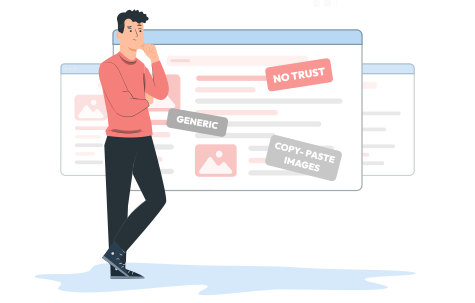
Looking good isn’t the same as looking trustworthy.
A lot of websites feel sleek and modern on the surface but come across as empty — stock photos, vague claims, and not a hint of real personality.
In 2025, visitors are more web-savvy than ever. They’ve seen hundreds of the same smiling office stock photos and templated “we care about quality” headlines. Your cookie-cutter WordPress theme with actors shaking hands isn’t fooling anyone (sorry not sorry).
The real issue isn’t taste — it’s trust. When someone lands on a generic website, they subconsciously assume the service will be just as generic. They don’t see effort, pride, or substance — they see another “just like everyone else” business.
Authenticity changes that.
You don’t need flashy animations or gimmicks; you just need to show that there’s a real team behind the brand. Use photos of your actual people, projects you’ve genuinely completed, and write copy that sounds like something you would say — not what you think a business “should” sound like.
A visitor should leave your site thinking, “These people get it — and they seem easy to deal with.” That reaction builds credibility faster than any font, photo, or white-paper-style copy ever could.
Pretty sites might catch attention, but real ones earn action.
Fix it:
Add human proof.
Use real images, real testimonials, and real names. Back them up with one honest line about what makes you different — something that actually means something.
For example, this IT firm's headline: “We keep your systems running so you can keep business moving.”
It’s bold, specific to a potential customer pain point, and it's believable — exactly what most “pretty” websites aren’t.
5. You’re treating your website like a brochure, not a salesperson

This is the root of it all.
A brochure tells people what you do.
A salesperson shows people why it matters — they listen, understand what someone needs, handle objections, and guide them toward the right decision.
Your website should do exactly that. It’s not there to sit quietly and “look professional.” It’s there to earn its keep — to work for your business while you sleep.
A good website doesn’t just display your services. It anticipates what your visitor is thinking:
- “Am I in the right place?”
- “Can I trust these people?”
- “What’s the next step?”
If your site doesn’t answer those questions within seconds, you’ve lost the sale before they even click.
So instead of listing features, build your pages like a guided conversation. Start with the customer’s problem, show the outcome you deliver, back it up with proof, then make it effortless to take action.
Make educated assumptions about your potential customer’s pain points and objections — and address them head-on:
- If people question your price, show them why you’re worth it. Use real results, testimonials, or side-by-side comparisons with the cheaper competition to prove the difference in value.
- If they worry about your timelines, show your process. A simple project timeline that highlights your attention to detail makes “we take our time” sound like a strength, not a weakness.
- If they’re unsure you’re the right fit, show evidence. Feature a case study from their industry or a testimonial from a similar client — something that says, “we’ve solved this exact problem before.”
That’s what a real digital salesperson does — and unlike a brochure, it never clocks off.
When you shift your mindset from “showcase” to “salesperson,” your website stops being a static expense and starts acting like the best employee you’ve ever hired: consistent, persuasive, and always on duty.
Fix it:
Think of your website as your best rep on their best day — helpful, confident, and clear. Give it the tools to sell: a story, proof, and a simple way to say yes.
The bottom line
If your website isn’t bringing in clients, it’s not doomed — it’s just under-trained.
Take care of these 5 things and the difference in enquiries can be night and day.
And if you’d rather not rebuild that strategy from scratch?
That’s literally what we do.
And this of course leads us nicely to bonus tip number 6...
6. Bonus tip: Don’t DIY what should be done professionally
Most business owners wouldn’t try to rewire their own office, unblock their own drains, or service their own vehicles — yet they’ll happily spend weekends wrestling with templates, plugins, and YouTube tutorials trying to build their own website.
Or they’ll hand it to a friend’s nerdy 17-year-old son or the new apprentice to “give it a go” — then wonder why the site doesn’t perform.
Building a website that sells isn’t the same as building one that exists.
It takes strategy, structure, and experience — the kind that only comes from doing it day in, day out.
Could you do it yourself? Sure.
But it’ll take longer, cost more in missed opportunities, and you’ll probably end up right back where you started — paying someone to fix it.
Could you do it on the cheap? Sure.
You know what they say — pay peanuts, get monkeys. Cheap websites are recycled templates with weak copy and crap stock photos — and none of that helps you stand out or win customers.
If you want a site that actually earns its keep, hire someone who builds them to do just that.
(And yes, you guesed it — that’s us 😉)
Ready to fix it?
If your website looks the part but isn’t doing its job, let’s sort it out.
Click Witted builds and manages websites that sell — not just sit pretty.
Book a quick chat and we’ll show you how to turn your site into the hardest-working member of your team.
.svg)